Terms
The following are the terms and conditions ("Terms") for the Canon U.S.A., Inc. Auto Replenishment System (the "Service"). These Terms are between you and Canon U.S.A., Inc. ("Canon USA," "we" or "us") and govern your and our respective rights and obligations relating to the Service. Please note that your use of the Service is also governed by Canon Direct’s Terms of Use and our Privacy Statement, each of which (as changed over time) are incorporated into these Terms, and all of which govern our respective rights and obligations concerning the Service. By placing an order through, or otherwise using, the Service, you accept, and agree to be bound by, these terms, conditions, limitations and requirements. Please read these Terms carefully.
Service
We reserve the right to change the Service benefits, including discount amounts and eligibility used to determine discount amounts, at any time in our sole discretion. All such changes will apply to future orders.
When you are enrolled, the Service will automatically create a new order for Eligible Products according to the shipment schedule applicable to the frequency of the Service you have selected, until you cancel.
We may, in our sole discretion, terminate your enrollment at any time without notice. If we do so, you will only be charged for orders that have been shipped to you.
Eligible Products
The eligible products that may be ordered through the Service (the identity of which are subject to change) are set forth on the product detail page on the Canon Direct website (shop.usa.canon.com) with the option to select the Service displayed (each, an "Eligible Product"). Your participation in the Service is personal to you, and you may not assign or transfer your enrollment, or any of the benefits of the Service, to any third party without our authorization. The Service is only available to customers with shipping addresses in the 50 United States and the District of Columbia.
Offers, Orders and Returns
Discounts and any limited time promotions associated with the Service apply only to Eligible Products displaying the offer message on the product detail page on the Canon Direct website (shop.usa.canon.com). Discounts and any amounts from limited time promotions that apply to your order, if any, and which are still in effect, will be automatically deducted from your order.
Some offer details may change as you receive deliveries over time (for example, price, taxes, availability, and shipping charges). If an Eligible Product is unavailable when we plan to ship it, we will notify you that we are unable to process your order, and we will wait to process your order until the next scheduled shipping date when the Eligible Product is available. When the Eligible Product becomes available, the price will be the price when you ordered it, regardless of when it becomes available.
Returns of Eligible Products under the Service are subject to our return policy. Service enrollments are void where prohibited.
Enrollment
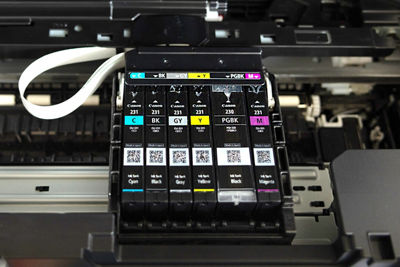
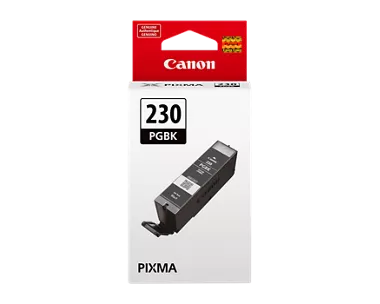
As part of your enrollment in the Service, you will be required to register with us so that your printer can be identified as participating in the Service. Instructions for registering your printer are contained in the introductory email sent to you after you apply for enrollment in the Service, as well as in the "My Account" section of the Canon Direct website (shop.usa.canon.com). You will be required to accept terms and conditions provided by our parent company, Canon Inc., as part of registering your printer. Canon Inc. will notify us when an ink or toner cartridge reaches a certain low ink/toner threshold, and we will fill an order for the ink or toner and ship it to you under these Terms. Information provided to us and Canon Inc. may be stored on servers outside of the United States and will be subject to our Privacy Statement. It's possible that your order for Eligible Products will not arrive prior to running out of ink or toner where your use was more than usual, particularly if such greater use occurred over 1 or 2 days.
Payment and Cancellation
The total cost charged to your payment method for each order under the Service will be the cost of the Eligible Product on the day that order is processed, less any discount offered as a percentage or dollars off at the time you registered, plus any applicable sales tax. We reserve the right to modify or cancel any discount offered at the time you registered for the Service, with notice to you, and future orders fulfilled under the Service will reflect any such change.
For each Eligible Product shipped under the Service, you authorize us to charge the payment method used when you enrolled unless otherwise directed by you. If we are unable to complete your order with the payment method you used when you enrolled, we will not fulfill the order and will notify you that your payment method needs to be updated.
Your enrollment in the Service will remain in effect until it is canceled. You can cancel or modify your enrollment at any time via the "My Account" section of the Canon Direct website (shop.usa.canon.com). If you cancel or modify your enrollment after an order has been processed, you will be charged for the order as processed. If the discount for such Eligible Product changes, the new discount will be applied to your future shipments of that Eligible Product. If, after enrollment, you are no longer in possession of your printer for any reason (e.g., due to warranty return, replacement, or exchange), the total cost for the Service will continue to be charged to your payment method until you cancel your enrollment. No refunds will be granted because of your failure to cancel your enrollment in such situation.
Your rights under these Terms will automatically terminate without notice if you fail to comply with any of its terms and conditions. In the event of such termination, we may immediately revoke your access to the Service. Our failure to insist upon or enforce your strict compliance with these Terms and will not constitute a waiver of any of our rights.
Changes to Terms
We may, in our sole discretion, change these Terms without notice to you. If any change to these Terms is found invalid, void, or for any reason unenforceable, that change is severable and does not affect the validity and enforceability of any remaining changes or conditions. YOUR CONTINUED PARTICIPATION AFTER WE CHANGE THESE TERMS CONSTITUTES YOUR ACCEPTANCE OF THE CHANGES. IF YOU DO NOT AGREE TO ANY CHANGES, YOU MUST CANCEL YOUR ENROLLMENT.
Disclaimer of Warranties and Limitation of Liability
WE DISCLAIM ALL WARRANTIES, EXPRESS OR IMPLIED, CONCERNING THE SERVICE INCLUDING THE IMPLIED WARRANTIES OF MERCHANTABILITY, FITNESS FOR A PARTICULAR PURPOSE AND NON-INFRINGEMENT. WITHOUT LIMITING THE PRECEDING SENTENCE, UNLESS OTHERWISE REQUIRED BY APPLICABLE LAW, IN NO EVENT WILL OUR, OR OUR LICENSORS’, AGGREGATE LIABILITY UNDER THESE TERMS WITH RESPECT TO ANY CLAIM EXCEED ONE HUNDRED DOLLARS ($100.00).