


WIRELESS HELP
See what wireless options are available for our products. Use the finder below to look for your Canon product.
Search for your product to get started
Need more wireless help?
Check out the Canon How-to-Video library for tips and tutorials for wireless help.

WIRELESS PRINTING OPTIONS

Mopria® Print Service - Android
Easily print photos, web pages and documents when your mobile device is connected to a Mopria® certified printer through a wireless network or using Wi-Fi Direct. Available for select PIXMA, MAXIFY, SELPHY and imageCLASS printers.

Software & Drivers - Win/macOS
Our Software & Drivers page can help you find your model and recommended files to get your wireless configuration up and running.

Canon PRINT - iOS
With the Canon PRINT App, easily print your favorite social media memories from popular platforms such as Facebook™ and Instagram™ right from your iOS® or Android™ device. Available for select PIXMA, MAXIFY and SELPHY printers.
Canon PRINT - Android
With the Canon PRINT App, easily print your favorite social media memories from popular platforms such as Facebook™ and Instagram™ right from your iOS® or Android™ device. Available for select PIXMA, MAXIFY and SELPHY printers.

Canon Mini Print - iOS
The Canon Mini Print App offers access to an exclusive array of photo editing tools — helping your images come to life through custom filters, frames, text, emojis, collage prints and more. Available on select IVY products.
Canon Mini Print - Android
The Canon Mini Print App offers access to an exclusive array of photo editing tools — helping your images come to life through custom filters, frames, text, emojis, collage prints and more. Available on select IVY products.
MORE SUPPORT

Find answers and perform your own troubleshooting with the knowledge base

Get answers to your product questions
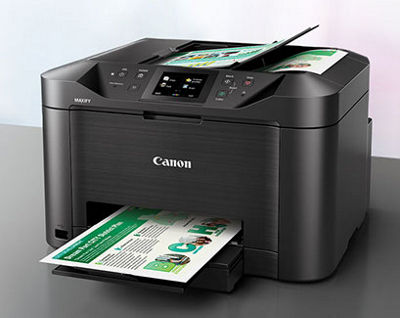
Manage your Canon products and keep them up-to-date
NEED IT FIRST
Sign up for up-to-the-minute Canon News, Sales and Deals.
SUBSCRIBE

STAY PLUGGED IN WITH CANON
Thanks for signing up!
The application has encountered an unknown error. Please try again in a few minutes!
By clicking Sign Up, you are opting to receive promotional, educational, e-commerce and product registration emails from Canon USA. You can update your preferences or unsubscribe at anytime.
LEARN WITH CANON
Discover great new ways to enjoy your products with exclusive articles, training and events.
Learn more