
image.canon
Enjoy a new imaging experience, with your camera connected to the cloud.

Explore the Features of image.canon



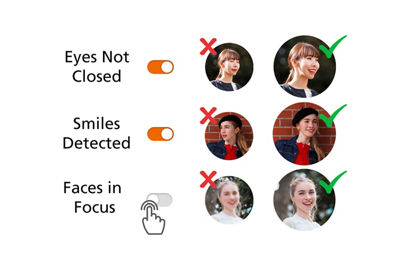
Facial Recognition Sorting
Take the guesswork out of photo organization and save time since image.canon can automatically flag photos by closed or open eyes, blurriness, and smiles, making it easy to sort your images and keep only the best shots.Footnote1

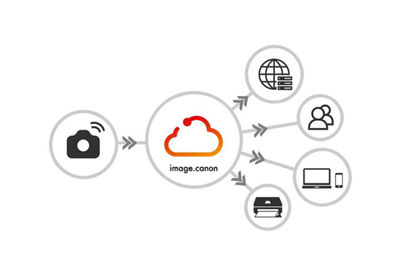
Seamless Media Transfer and Free Storage
Connect automatically from your Canon camera to the cloud, where all your photos and movies – including raw files and 4K – are securely stored for 30 daysFootnote2 and automatically transferred to your devices and web services.
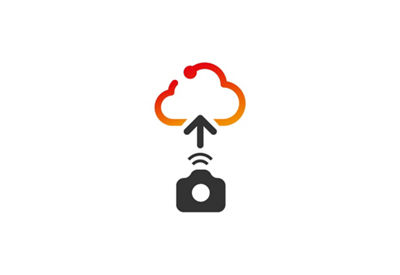
Seamless Upload from Camera to the Cloud
Image.canon is a cloud service designed to ease your imaging workflow, whether you are a professional, enthusiast, or casual user. Connecting your Wi-Fi compatible Canon camera to the image.canon service will allow you to seamlessly upload all your images and movies in their original format and quality and access them to your computer, mobile devices, and third party services.
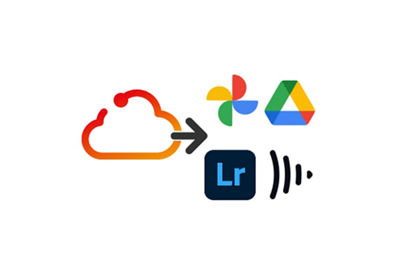
Auto Download to PC and Link to Third-Party Services
Backup to your PC and auto transfer to Flickr, Google Drive. Linkage with Adobe Creative Cloud (paid service) and Google Photos via Google One cloud storage (paid service) from June 2020.
Explore the Features of image.canon
Explore the features of image.canon.
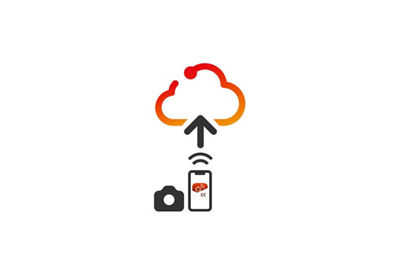
Easy Upload from Camera Connect to the Cloud
Use the Canon Camera Connect app to upload images from your Wi-Fi camera to the cloud via your mobile device. By integrating with image.canon, you can back up photos on the go—even without a direct internet connection for your camera.

Direct Posting on Social Media
From the image.canon mobile app, users can easily post on social media and YouTube and share images.
Download the image.canon App
Frequently Asked Questions
image.canon is a service offered to the owners of select Canon digital cameras and SELPHY compact photo printers.
You must register a Canon ID to use image.canon.
If you used CANON iMAGE GATEWAY Online Photo Album, then a new user registration is not required. Please use the same email address and password as before.
Your CANON iMAGE GATEWAY Online Photo Album images and albums will migrate to image.canon.
However, image titles and comments that you edited in Online Photo Album, as well as tag information, will not migrate.
All Canon cameras released before the EOS R5 will, at minimum, support manual file transfer.
Automatic file transferring, available for cameras equipped with the automatic file transfer function, beginning with the EOS R5 (announced on 13 February 2020), requires users to connect the camera to a Wi-Fi access point that has been registered in advance.
There is no restriction on the number of compatible cameras you can connect to image.canon.
- In North and South American countries, face detection is available. However, the face recognition function, which identifies individual people using pre-registered face images, is not available.
- After 30 days original images are deleted unless they have been moved into long term storage.

Thanks for signing up!
The application has encountered an unknown error. Please try again in a few minutes!
By clicking Sign Up, you are opting to receive promotional, educational, e-commerce and product registration emails from Canon USA. You can update your preferences or unsubscribe at anytime.