
Canon Genuine Consumable Add-Ons
Printer Add-Ons
Elevate your printing experience with AI-powered printer add-ons that unlock enhanced features and functionalities to help you get the most out of your printer.
Get feedback on common issues quickly within the Canon PRINT app using Smart AI Chatbot Support, an interactive assistant designed for faster troubleshooting.
How to Access Genuine Consumable Add-Ons
MOBILE
- Download the Canon PRINT app from the Apple Store® or Google Play®
- Setup PIXMA with Canon PRINT App version 4.0
- Create a My Canon Account
PC (Windows)
- Download the Canon PRINT app (version 4.0) from the Microsoft Store®
- Setup eligible PIXMA printer with the Canon PRINT app
- Install Canon Print Assistant 2.0
- Create a My Canon Account
Web Print Optimizer
Benefits of Web Print Optimizer

Standard web printing often includes headers, footers, and ads, cluttering the page and wasting ink and paper. Our solution solves this: it offers Selective Printing to output only essential content on various recipe and news websites, customizes layouts to match your needs with a clean format, and applies automatic waste reduction to eliminate unwanted elements—helping you save paper and ink.
AI-Powered Layouts automatically extract key information from various news and recipe sites and format it into clean, easy-to-read pages. By stripping away clutter such as headers, footers, and advertisements, this feature can help to reduce paper and ink consumption which can help you maximize resource efficiency. Please note that this optimized web printing feature is exclusively available for users printing with Canon Genuine Ink and eligible printersFootnote4.

Use Case: Recipe PrintingFootnote2
The Web Print Optimizer Add-Ons uses AI to:
- Extract core essentials: Keep only ingredients, measurements, cooking times, and step-by-step instructions.
- Retain key images: Keep necessary step-by-step or final dish photos cleanly aligned with the text.
- Fit to page: Compact the layout for easy kitchen use.
- Clean typography: Convert scattered web text into a readable, high-contrast print format.
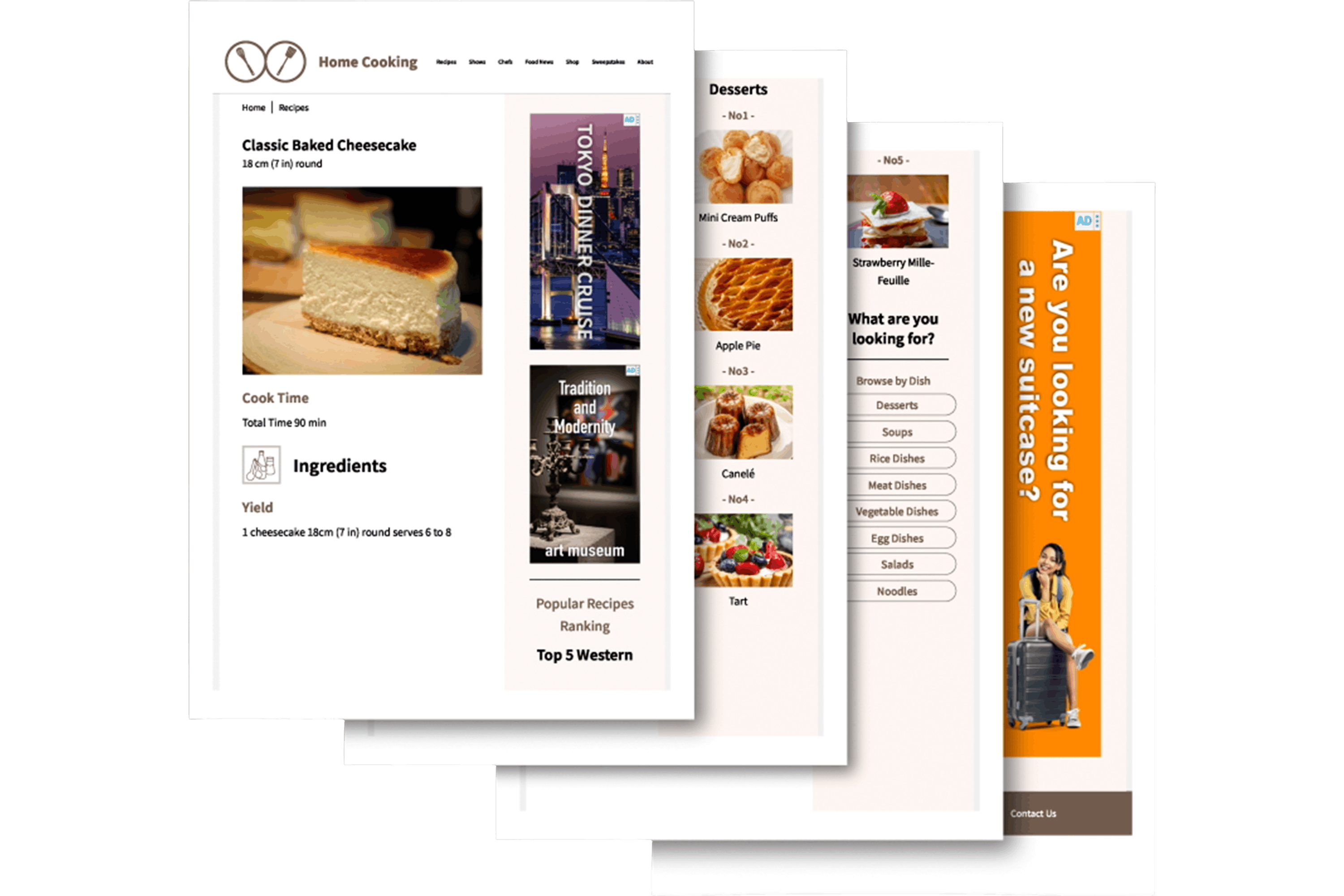
Before
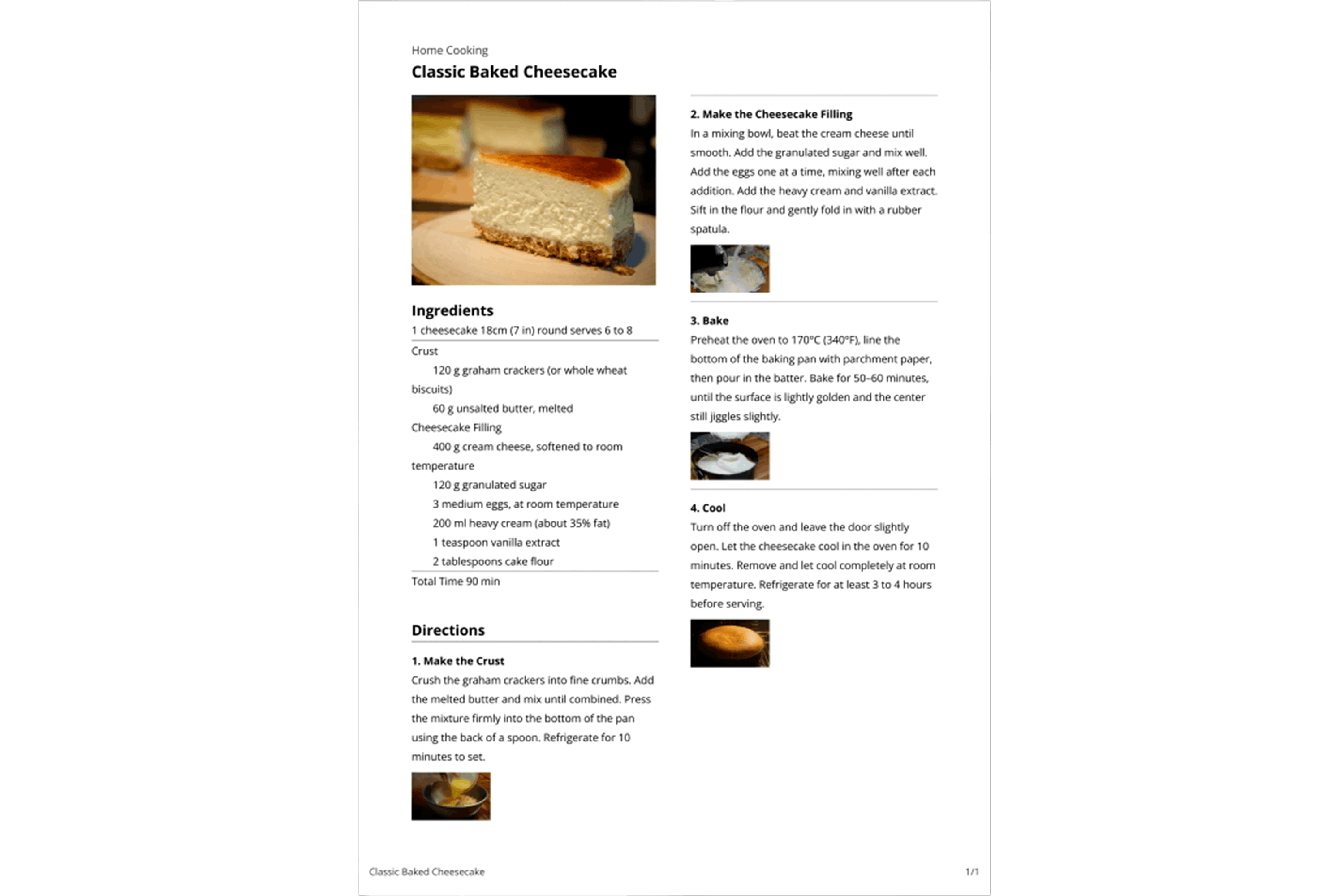
AfterFootnote1

Use Case: Printing from Various News WebsitesFootnote2
The Web Print Optimizer Add-Ons uses AI to:
- Remove clutter: Strip away ad banners, video frames, recommended links, and comment sections.
- Keep metadata: Preserve headline, author, date, main image, and charts or tables.
- Reflow text: Reorganize multi-column web pages into simple, continuous text blocks.

Before
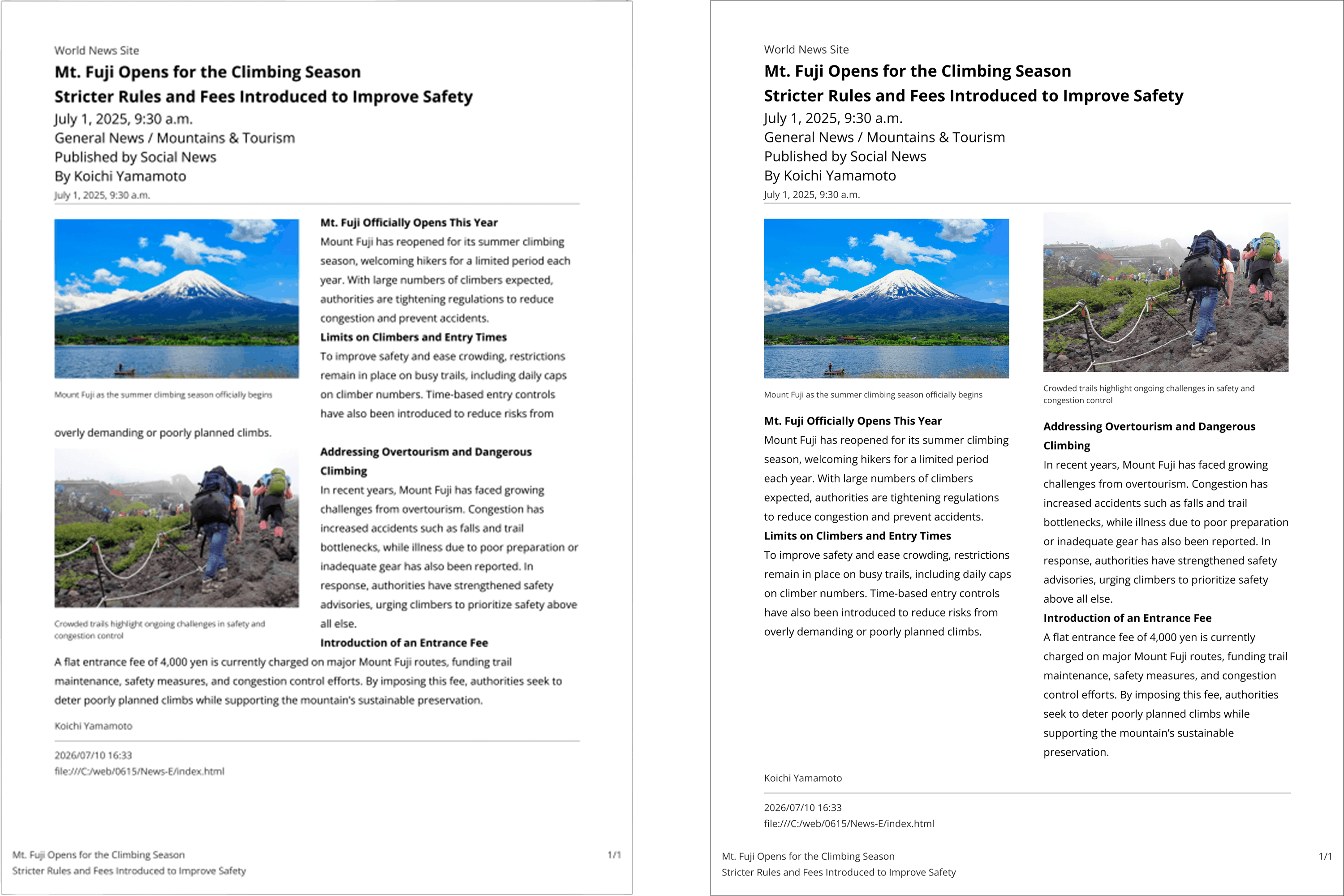
AfterFootnote1 (Type A or B)
Compatible Printers List:
Specifications and availability are subject to change without notice.
- For illustration purposes only. Actual print results may vary.
- For the best results, please review your printed documents to ensure all desired content was captured.
- Not compatible with all printers operating systems and web browsers. For compatibility and other requirements, visit usa.canon.com/GenuineConsumable. To use Web Print Optimizer you must:
- Create a MyCanon Account.
- Use the Canon PRINT App Ver. 4.0 or Canon Print Assistant ver. 2.0.
- Register and enable the Web Print Optimizer feature in the applicable app.
- Use Canon Genuine Ink with your compatible printer.
- Internet access is required. Canon reserves the right to charge for these and additional services in the future.

Thanks for signing up!
The application has encountered an unknown error. Please try again in a few minutes!
By clicking Sign Up, you are opting to receive promotional, educational, e-commerce and product registration emails from Canon USA. You can update your preferences or unsubscribe at anytime.