

Auto Toner Replenishment Service
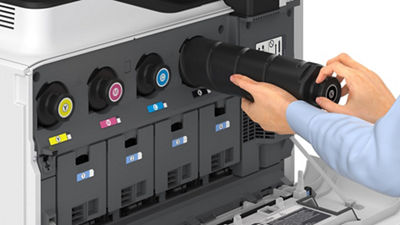
Canon devices enrolled in the Auto Toner program transmit an alert to Canon U.S.A. via the embedded imageWARE Remote communication system when toner is low. Toner is then automatically shipped to your specified address before toner runs out. This free service is available for eligible models covered under a supply-inclusive maintenance agreement. If you purchased an imageCLASS printer for home/office use, information on the consumer Auto Replenishment Service can be found here.
How It Works
Step 1: Low Toner Alert
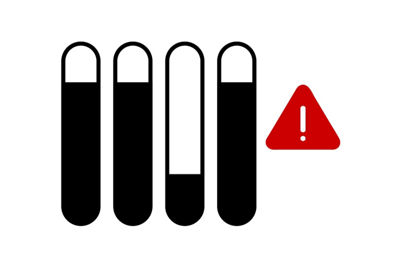
Your Canon MFP sends a low toner alert via the Data Collection Agent (DCA).

Step 2: Order Processing
The Canon Order System automatically processes the toner order based on the alert. The warehouse is then notified to prepare the toner shipment.

Step 3: Order Confirmation
You will receive confirmation that your toner order has been successfully placed, followed by a shipping confirmation that includes detailed tracking information.
Eligible Printers
imageCLASS, imageRUNNER, imageFORCE, and imagePRESS machines are eligible. If you are not sure if your printer is eligible for imageWARE, please email CustomerService@cusa.canon.com.
- imageCLASS Printers
- imageRUNNER Printers
- imageFORCE Printers
- imagePRESS Printers
How to Enroll
Log in to MyCanon Business. On the homepage, refer to MyCanon Business Guides > View and Update Auto Toner Info.
FAQs
It is a seamless way to refill your supply. Toner restocks will automatically ship to your specified location when levels are low.
The machine must be networked and connected to a data collection agent.
Yes. Log in to MyCanon Business and refer to MyCanon Business Guides > View and Update Auto Toner Info.
If your machine is covered under a supply inclusive maintenance agreement, the toner is provided at no charge. A standard delivery fee may apply.
This service is free of charge.
For imageWARE to communicate toner alerts, your machine must be networked and communicating with imageWARE.
In MyCanon Business, refer to MyCanon Business Guides > View and Update Auto Toner Info. Once enrolled, confirm your machine is registered and communicating with imageWARE.
Toner alarms received after enrollment will automatically create an order.
Canon devices enrolled in the program use imageWARE Remote to send alerts when toner levels are low. This triggers the automatic order process.
Canon's Order System processes the alert and initiates an order for the required toner.
We will send an email to the primary Toner Contact listed when the order is created and a second email when the toner is shipped.
Yes. A shipping confirmation will be sent to you along with detailed tracking information and a shipping label. You may also view order details with tracking information through MyCanon Business.
If your order is delayed or missing, please contact Canon Customer Service for assistance.
No. Toner orders are processed and shipped automatically once your device is enrolled in the Auto Toner program. You may still need to order certain non-toner supplies manually, such as waste containers, when required.
Yes. You can specify the shipping address during enrollment or update it through your MyCanon Business account.
The designated contact will receive an email with instructions on performing a communication test to restore connectivity.
You can contact Canon Customer Service for assistance with enrollment, tracking, or any other questions related to the Auto Toner program. Email CustomerService@cusa.canon.com
You should use genuine Canon toner because its proprietary formulation and precise manufacturing ensure optimal print quality, consistent performance, reliable operation, and protection of your printer's warranty.
You can manage toner and IT contact information through MyCanon Business. To cancel your enrollment, email CustomerService@cusa.canon.com.
The printer will be automatically unenrolled from the Auto Toner program when it is returned.