

Clinical Document Workflow Digital Transformation with Support from Canon
If you manage a modern healthcare facility, you’ve likely heard the term digital transformation echoed across hospital boardrooms and IT departments. Yet navigating the sea of electronic health records (EHR), connected devices, and administrative bottlenecks can feel overwhelming—especially when it’s unclear which technologies deliver the most practical clinical value—or even what their specific differences are.
Before diving deeper, it’s important to clarify that clinical digital transformation is not just about replacing paper with screens. True transformation utilizes integrated technologies to help streamline the document journey, provide features that can help in your efforts to protect data,1 and improve operational efficiency. The ultimate goal is to remove administrative roadblocks, enabling providers time to focus more on direct patient care.
Traditional Clinical Workflows
A hospital’s workflow is a complex engine that continuously captures, shares, and stores patient data. Historically, many healthcare facilities relied on siloed, analog mechanisms, such as physical patient files, disjointed printing stations, and manual administrative routing.
The Backbone of Digital Transformation
Your choice of technological infrastructure dictates how patient data and administrative documents will be captured and processed in your facility. Canon’s approach to seamless digital transformation focuses on three primary pillars of document workflow innovation:
The Modern Document Journey: MFPs and Scanners
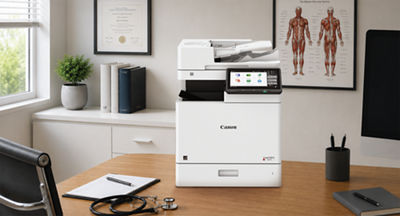
The transition from a physical document to a digital asset is the foundation of the modern healthcare workflow. Canon’s multifunction printers (MFPs), such as the imageFORCE, imageRUNNER ADVANCE DX and imageCLASS X series, along with high-speed document scanners, represent the frontline of this journey.
These devices are designed to help handle everyday patient forms, insurance files, prescriptions, and include security features that can be implemented.Footnote1 By transforming paper-based data into searchable, digitized files at rapid speeds, facilities can help reduce their physical storage footprint and the costly redundancies of hybrid analog-digital systems limit.
Specialty Solutions: Identification
Digital transformation extends beyond standard 8.5” x 11” paper.
Canon’s suite of specialty printers—including pigmentbased color inkjet label printers and ID card printers—enable facilities to handle diverse labeling needs in-house. From printing staff badges and visitor passes on-demand to generating durable patient wristbands and lab labels that are designed to help resist smudging and fading, these specialty devices help directly contribute to a more organized environment.
Power to Connect Workplace Software to Compatible EMR Solutions
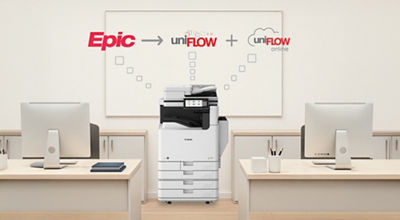
Capturing a document is only half the battle; routing it is where true workflow automation happens. Solutions like uniFLOW Online, IRIS, and Therefore Online can help empower institutions to streamline document management via virtually seamless EMR connectivity.Footnote2
By utilizing cloud connectors, clinical staff can scan, index, fax, and route patient records directly into compatible electronic systems like Epic and Cerner.Footnote2 This interoperability helps to allow comprehensive audit logs, supporting a more efficient healthcare workflow.
An Expansive Portfolio of Managed Services
Managing a sprawling fleet of devices and the IT infrastructure that supports them can easily overwhelm internal teams. Canon’s legacy of innovation, combined with the expert support of Supra ITS, a Managed IT Services Partner, helps businesses to help ease that burden, reduce costs, and improve efficiency.
- Managed Print: A results-driven approach that provides on-site and remote fleet administration. By analyzing print habits and optimizing device placement, facilities can identify where they can reduce paper and toner waste.
- Managed IT & Security: As cybersecurity risks grow more advanced, proactive, 24/7 help desk support, cloud services, and extended detection and response (XDR services) to help in your efforts to safeguard your network and data.Footnote2
- Managed Workplace: Offloading non-core tasks like print center production, digital mailroom operations, and backfile conversion can help healthcare organizations streamline operations, allowing clinical and administrative staff to focus on higher-value work.
Which Digital Solution is Best, and When?
Designed for flexibility, these digital tools can be tailored to meet the unique demands of any healthcare workspace.
Here is a look at them in action:
At the Admissions Desk
Document Scanners and Specialty Printers. Front desk staff can utilize intuitive scanning solutions to ingest patient intake forms directly into the compatible Electronic Health Record, helping to speed up the admission process. Simultaneously, a specialty card printer generates visitor or patient ID badges on-demand.
In the Clinical Ward
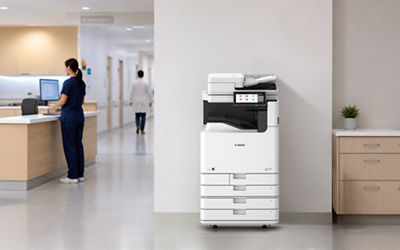
EMR-Connected MFPs. Nurses and physicians can utilize a centralized imageFORCE or imageRUNNER ADVANCE DX device to help print out care instructions or scan specialist referrals directly into a patient’s chart. Features like Secure Print release help so that sensitive documents are only dispensed when the authorized user authenticates at the device.
Behind the Scenes in IT and Operations
Managed Services. Managed Print Services and Managed IT teams can help monitor device health, proactively order toner, and with businesses cyber security efforts.1 Instead of dedicating time to fixing jammed printers or patching software vulnerabilities, the IT staff can focus on strategic, long-term technological integrations for the hospital.
What About Sustainability Efforts?
This can sometimes be an afterthought in technology upgrades, but it holds significant weight in modern healthcare operations. Rooted in the philosophy of Kyosei—living and working together for the common good—Canon’s Managed Print programs have features and services that can help to actively reduce energy consumption and resource waste. Canon also supports the Commission on Accreditation of Healthcare Management Education (CAHME) to recognize programs that excel in healthcare sustainability.

The Path Forward
Clinical digital transformation is essential to modernizing healthcare organization workflows. While this transition is a phased process designed for gradual, long-term integration, once you understand the potential benefits of optimized document journeys, specialized in-house printing, automated EMR workflows, and Managed Services, you can use as part of your efforts to optimize your operations for any situation.
No single solution is a cure-all, but getting comfortable with these integrated options is a great step forward in taking full control of your facility’s operational workflows.
Footnote
- The information herein is provided for general informational purposes only. Security services, technologies, or recommendations offered by Canon can help an organization with their security efforts; however,no security service or technology can eliminate all risks; Canon does not guarantee complete protection against all threats or incidents nor a specific result. Results will vary based on each organization’s environment, configurations, user behavior, and other factors. Nothing herein should be construed as legal advice or a guarantee of legal or regulatory compliance. Prior to purchasing security services, please review the applicable terms of service for specific restrictions and consult with your legal counsel.
- Subscription to a third party service required. Subject to third party service providers terms and conditions. Neither Canon Inc. nor Canon U.S.A., Inc. represents or warrant any third-party product or feature referenced hereunder.

CONTACT A CANON SALES REPRESENTATIVE