


VAIO Vision+® 14P
Distributed by Canon U.S.A.
THE FREEDOM TO WORK FROM ANYWHERE
A Sleek, Portable Dual-Screen Solution
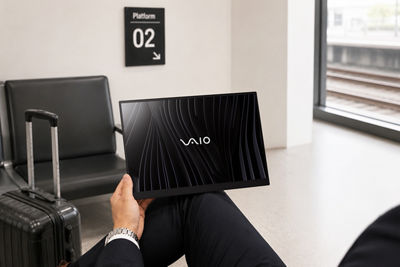
Stay productive wherever work takes you with the VAIO Vision+® 14P. Featuring a 14.0-inch widescreen LCD (1920 × 1200), an ultra-slim 0.15-inch profile, and a weight of just 0.73 lbs, this lightweight portable monitor makes it easy to create a dual-screen workspace on the go.
With a single USB Type-C® connection, you can instantly extend your display, view content side by side, and work more efficiently—without the bulk of a traditional setup.
READY TO WORK WHEN YOU ARE
Compact and Durable. Designed to Last.
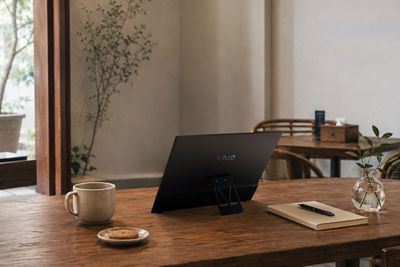
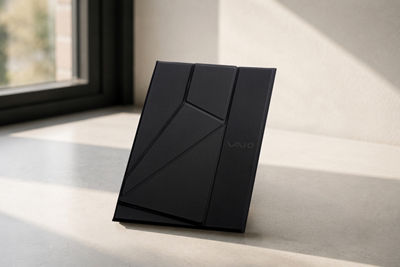
Constructed with advanced 3D-molded carbon fiber, the VAIO Vision+® 14P delivers a lightweight yet durable design. It has undergone MIL-STDFootnote* compliance testing, including drop tests from up to 50 inches, to help ensure reliability during everyday travel and work.
BOOST PRODUCTIVITY WITH A DUAL-SCREEN SETUP
Expand Your Workspace Instantly
The 14-inch anti-glare display features a productivity-friendly 16:10 aspect ratio, giving you more vertical screen space for documents, spreadsheets, presentations, and creative projects. High brightness and wide viewing angles help keep content clear and easy to see in a variety of environments, whether you're working in an office, airport lounge, coffee shop, or on campus.
Easy One-Cable Connection
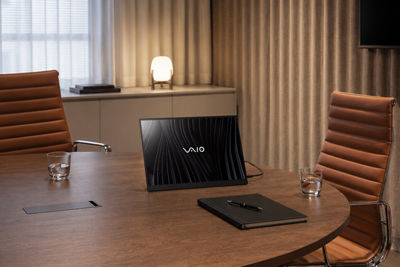
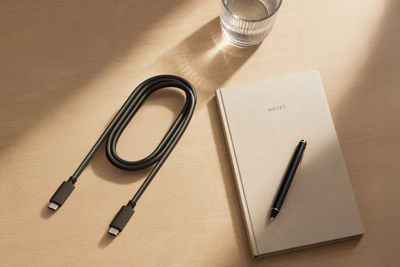
Simple One-Cable Setup: With DisplayPort™ Alt Mode and USB-C® bus power support, a single USB-C connection is all it takes to add a second screen and get to work.
USB Power Delivery (PD) Pass-Through: Keep your workspace streamlined with dual USB-C® ports that support pass-through charging, allowing a connected power adapter to charge compatible laptops while the monitor is in use.
SUPPORTING A FLEXIBLE WORKSPACE
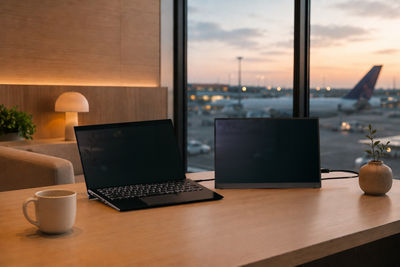
The included cover stand supports both landscape and portrait viewing. Position it next to your laptop for a traditional dual-screen setup, or switch to a vertical orientation to help reduce scrolling and make better use of available screen space.
NEXT-LEVEL QUALITY
Quality You Can Count On
The VAIO Vision+® 14P is designed for long-term reliability. Every monitor undergoes Azumino FINISH, a rigorous 50-point quality inspection performed by skilled technicians at VAIO's headquarters in Japan. This meticulous process helps ensure consistent performance, dependable operation, and the quality professionals expect from their everyday technology.
DESIGNED WITH THE FUTURE IN MIND
Sustainable by Design
The VAIO Vision+® 14P is manufactured at a facility powered by renewable energy and incorporates highly recyclable thermoplastic carbon materials. Its included cover stand also serves as protective packaging, helping reduce material usage and waste without compromising portability or protection.
Seamless Compatibility
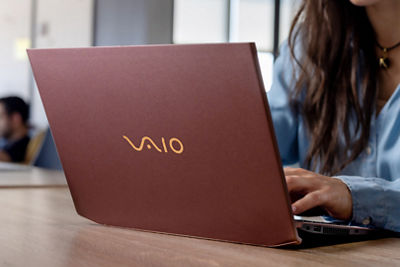
The VAIO Vision+® 14P Mobile Display pairs perfectly with VAIO® Pro PK-R and Pro PK-R2 laptops available through Canon. Available in seven sleek color options, VAIO® laptops deliver a powerful, portable solution that can keep up with the demands of modern business professionals.
Ready to Add a Second Screen to Your Laptop?
Support

Support for VAIO® Owners
For questions or support, contact us at 1-833-412-0386, 9:00 AM to 6:00 PM EST, Monday to Friday.
* Support available exclusively for VAIO Vision+® 14P

Model Information
Model: VJ5VP141P12X – VAIO Vision+® 14P

Startup Guide
Need help getting started? VAIO’s comprehensive startup guide walks you through the initial setup process.
Access the VAIO Vision+® 14P Startup Guide
Resources
VAIO® Vision+® 14P Flyer
06.30.26
0.3 MB
Footnote
* Based on the MIL standard (MIL-STD-810H), VAIO has conducted tests according to some of the test conditions they set themselves to confirm that there are no operational defects in the basic functions. This is done to collect reliability data and does not guarantee that there will be no damage or failure to drops, impacts, vibrations, or changes in the usage environment.